Copy-pasting project rules into chats over and over.
Docshelf
Controlled documentation for AI agents.
Store project knowledge once.
Expose only the folders your AI agent should access through MCP tokens.
Markdown-native
Folder-scoped MCP tokens
Claude / Codex / Cursor
Editor workspace with scoped visibility
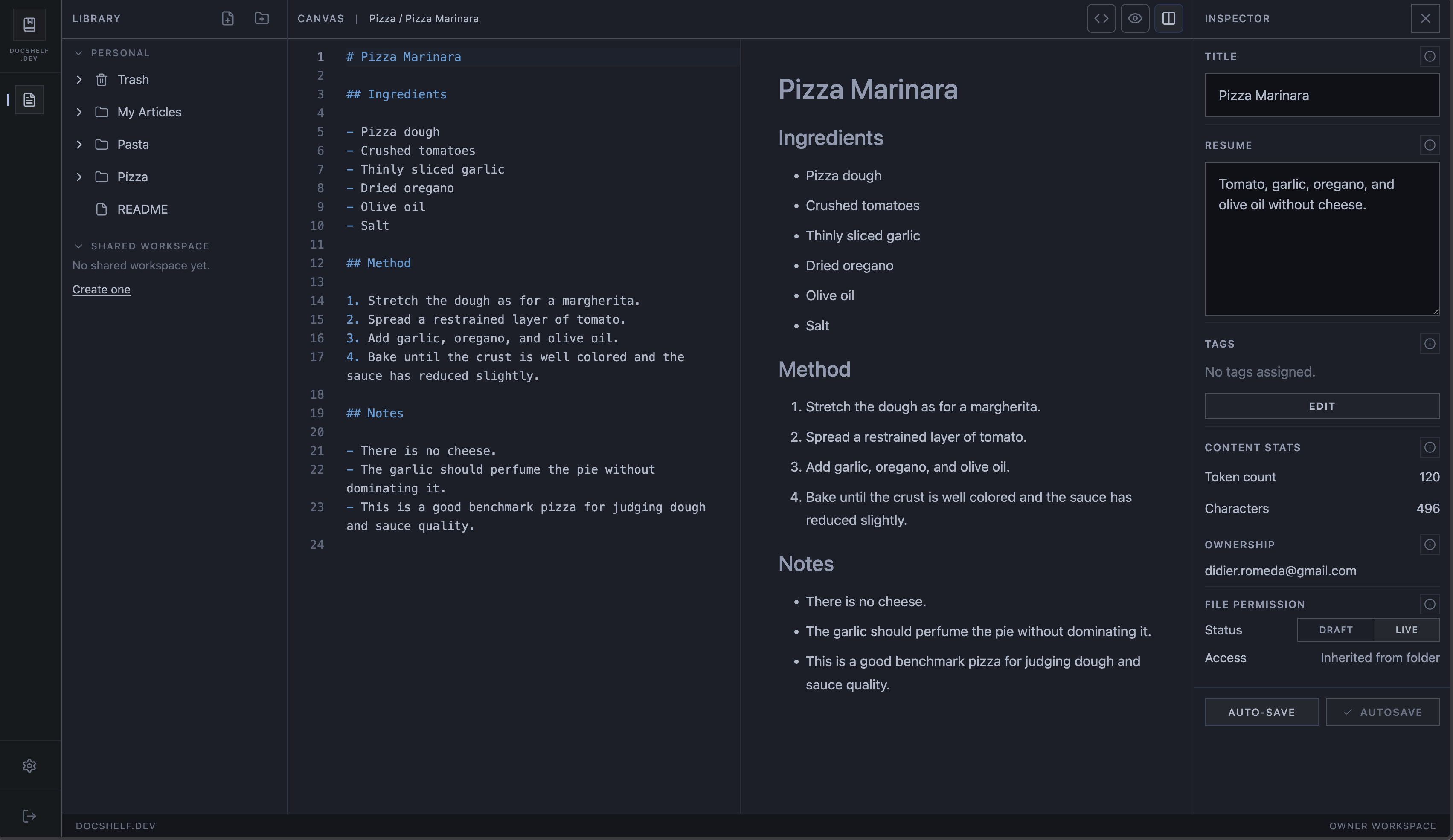
Write once, organize once, then expose only the folders each MCP token should see.
Problem
AI agents need context. Most setups still leak too much of the project.
Attaching random markdown files with no durable structure.
Exposing entire repositories for tasks that need only one surface.
Giving tool access with no meaningful folder scoping.
Repeating the same onboarding and architecture guidance every time.
Solution
Docshelf gives agents controlled context.
Write docs in Markdown. Organize them into folders. Create MCP tokens that expose only the folders each agent should see.
Markdown-first
Use normal project docs instead of inventing a special authoring workflow.
Folder-scoped permissions
Tokens expose folders, not your whole workspace and not a fragile list of one-off files.
Dynamic access
As docs evolve, access stays aligned with the folder structure you already understand.
How It Works
Four steps. No ACL maze.
01
Create documentation
Store coding rules, architecture decisions, onboarding notes, deployment procedures, prompts, and troubleshooting guides.
02
Organize folders
Keep permissions simple with folder boundaries like /backend, /frontend, /infrastructure, and /project-rules.
03
Create an MCP token
Choose exactly which folders the token can expose for a given agent or workflow.
04
Connect your AI agent
Use the MCP configuration in Claude Desktop, Codex, Cursor, or any other MCP-compatible client.
Why Folders
Simple permissions.
No ACL hell. No document-by-document permission chaos. Articles belong to one folder, tokens expose folders, shared access is workspace-based, and resolution stays predictable.
Workspaces
Personal or shared.
Keep a private shelf for your own prompts, conventions, and notes, or expose the right folders to a team workspace without opening everything.
Use Cases
Useful anywhere agents need the right context, not all context.
Claude Code project rules
Store architecture constraints once instead of repeating them in every conversation.
Cursor team onboarding
Expose onboarding docs and coding conventions through MCP.
Infrastructure runbooks
Give operational agents access to deployment and troubleshooting procedures.
AI-safe documentation scope
Expose only the folders required for a specific task.
Pricing
Start small. Add team workflows later.
Free
- 50 articles
- 10 folders
- 2 MCP tokens
- Personal workspace
Team
- Shared workspaces
- Invitations
- Folder sharing
- Team collaboration
Coming soon.
Start
Stop copy-pasting project context into AI chats.
Create a controlled MCP documentation shelf.